
Urgency module
Low stock badge
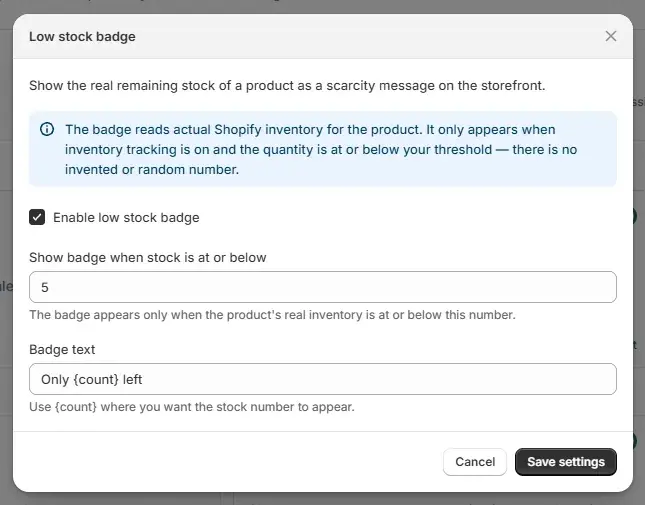
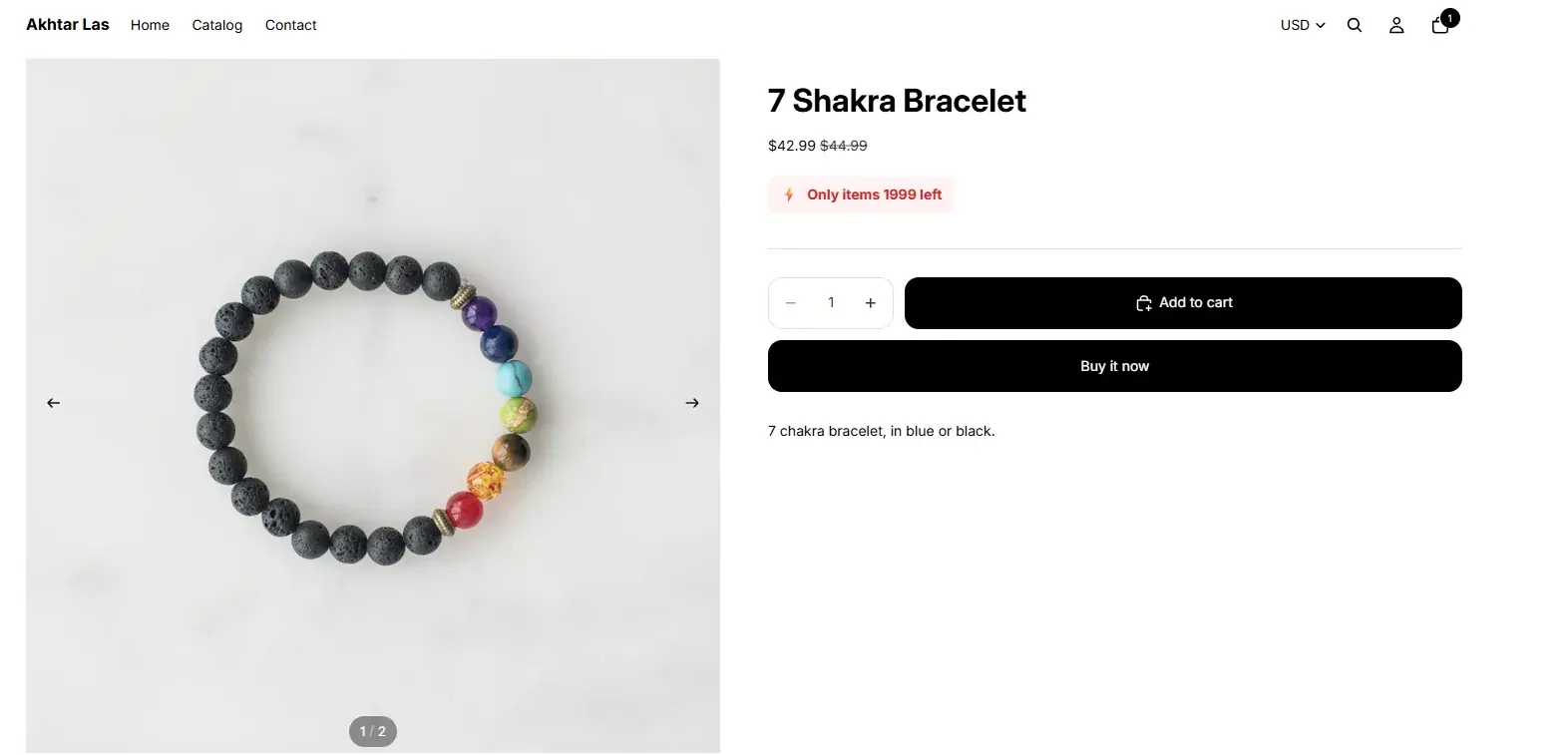
Flag products that are running low so shoppers see “only a few left”.
What it does
- A badge on any product at or below your stock threshold
- Reads your store's real Shopify inventory levels
- Your own wording, with the count filled in automatically
Configuration lives in the Uddom app: switch the module on, set it up in its own settings, and the storefront picks it up through the theme app embed.
Full setup and settings are in the user documentation.
On the storefront
The same module on the storefront, using the settings above.
More urgency modules
Give shoppers a concrete reason to decide now rather than later.
Ready to switch it on?
Install Uddom, enable the Low stock badge module, and configure it in the app.