
Social proof module
Recent sales popup
A quick notification when someone completes a purchase.
What it does
- A brief popup when a purchase completes in your store
- Driven by your store's own recent orders — nothing invented
- Timing and placement set in the app
Configuration lives in the Uddom app: switch the module on, set it up in its own settings, and the storefront picks it up through the theme app embed.
Full setup and settings are in the user documentation.
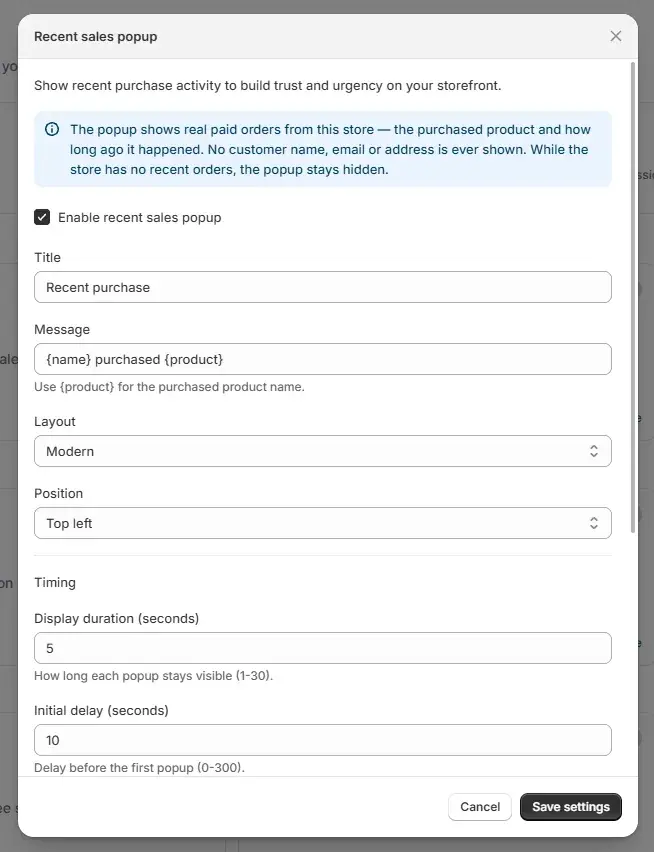
On the storefront
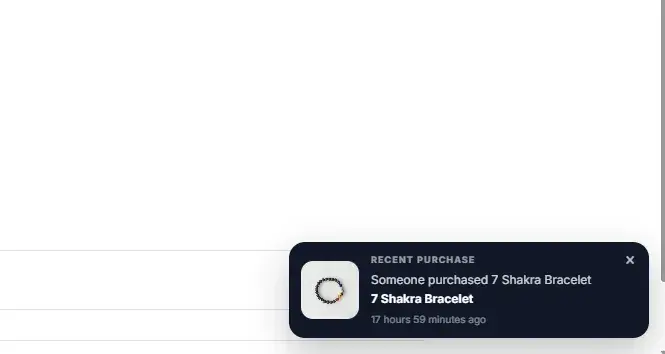
The same module on the storefront, using the settings above.
More social proof modules
Show real activity and real reviews from your own store.
Ready to switch it on?
Install Uddom, enable the Recent sales popup module, and configure it in the app.